 SoundBar
Volume & favorites
Volume and favorites per room
Click a room to set its volume or start one of your Sonos Favorites on it: a playlist, an album or a radio station.
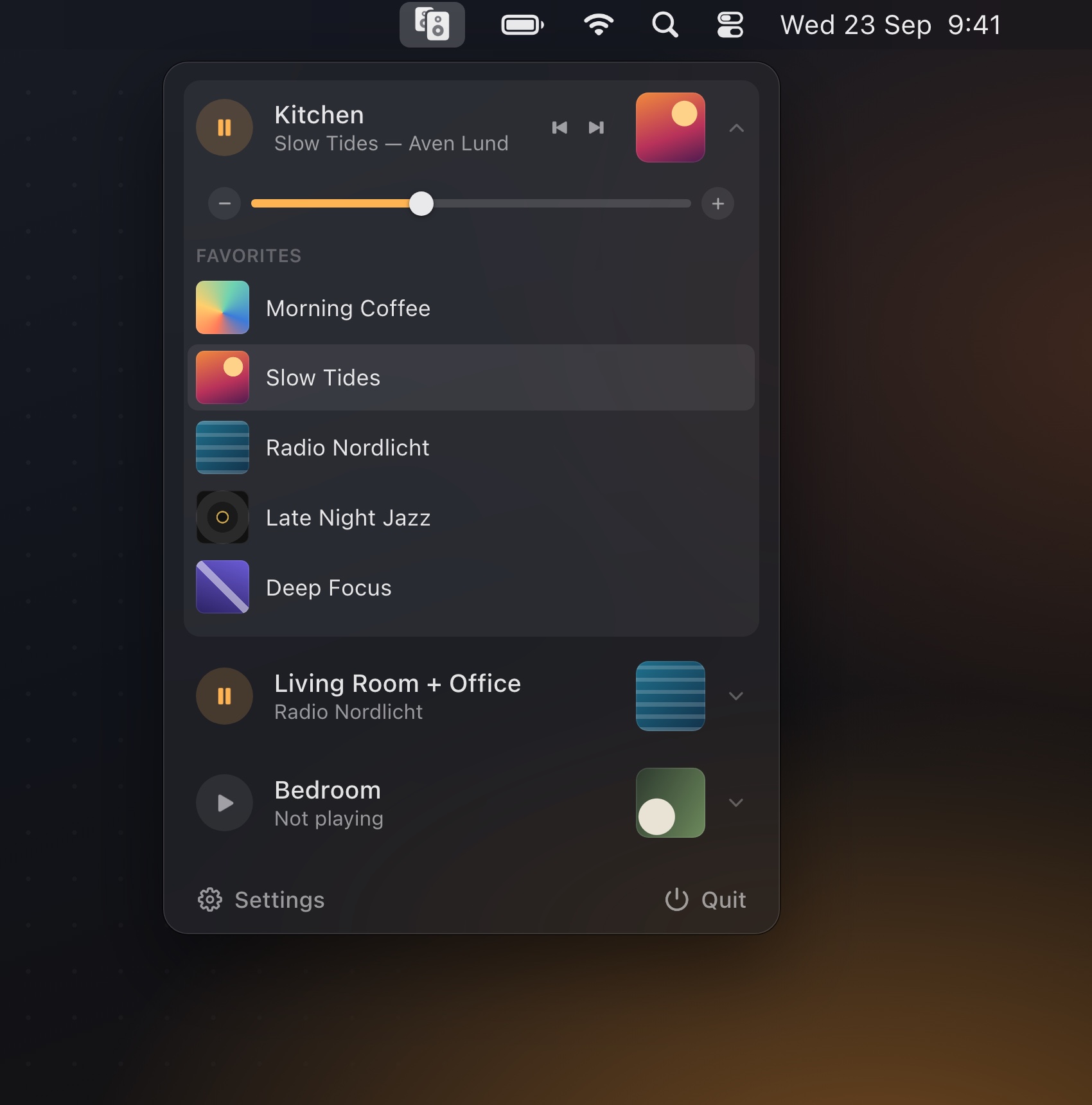
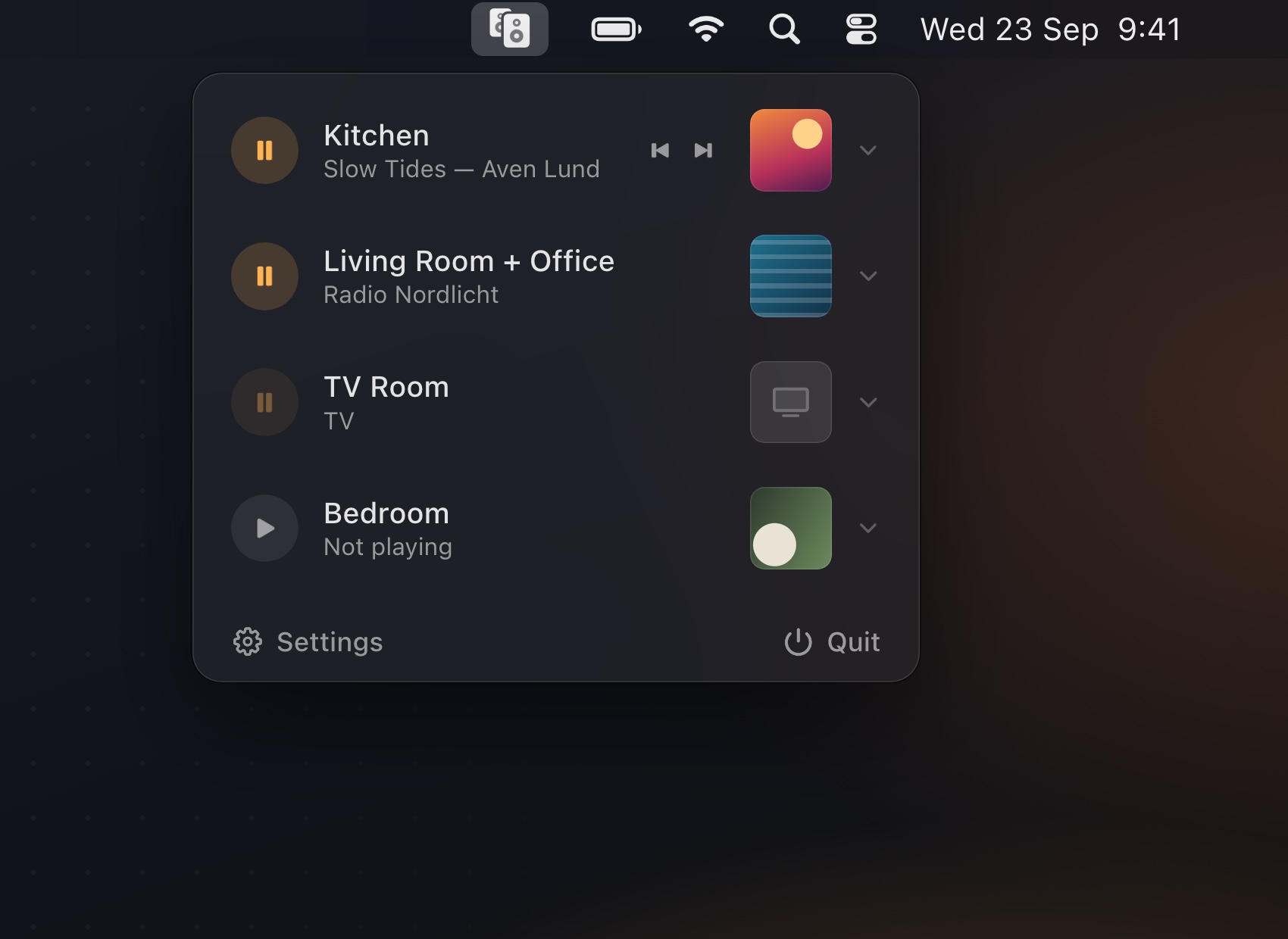
Play, pause, skip and set the volume of each room on its own. The icon shows at a glance how many rooms are playing.
Click a room to set its volume or start one of your Sonos Favorites on it: a playlist, an album or a radio station.
SoundBar finds your speakers and controls them directly over your home network. Nothing to set up.
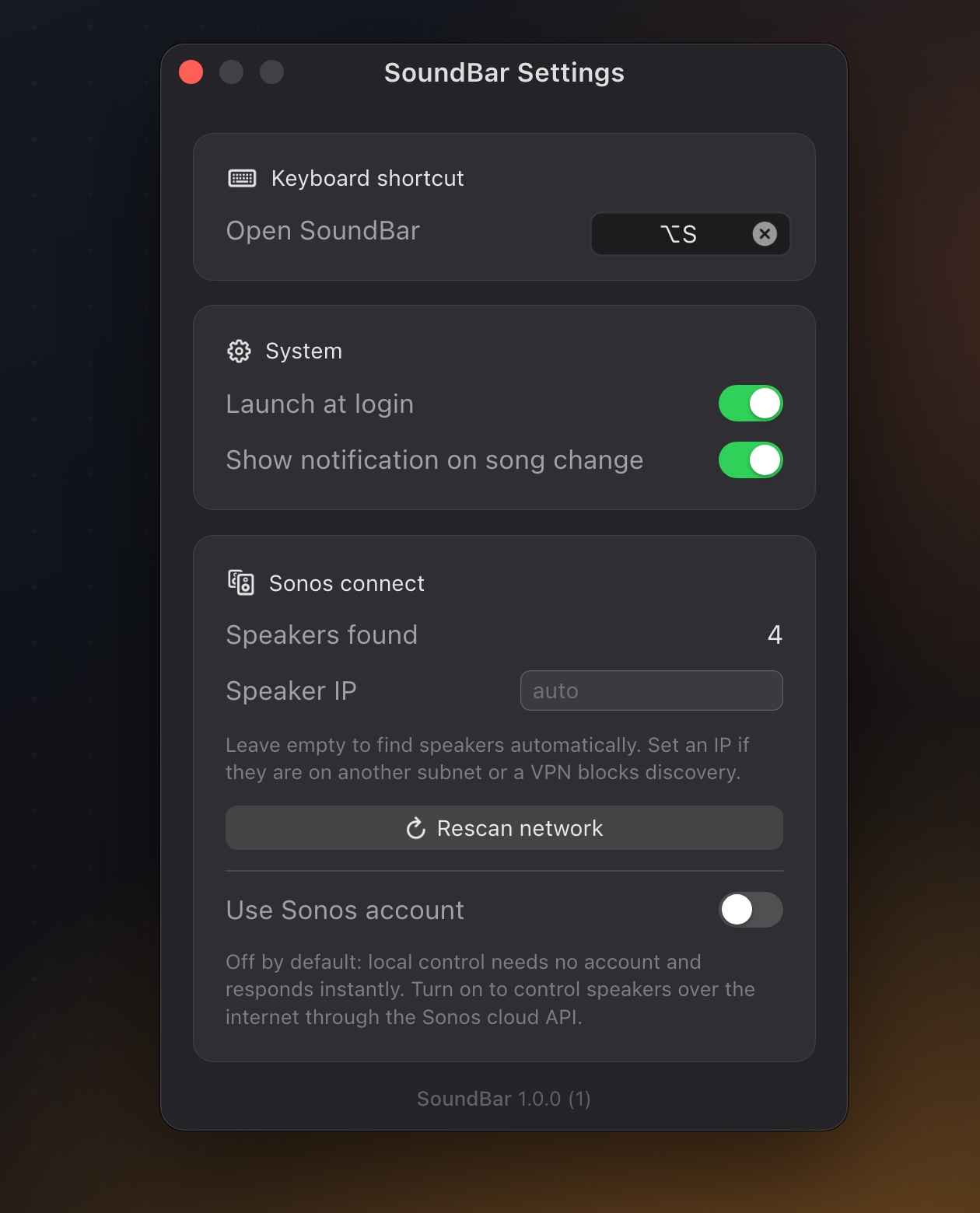
Open the panel from anywhere with a global shortcut of your choice.
Optionally get a notification when the song changes.
Starts with your Mac and lives quietly in the menu bar, with no Dock icon.
Speakers playing together share one row, just like in the Sonos app.
Finds speakers on your network by itself, or enter an IP for other subnets.
Soundbar TV input and line-in sources are recognized and shown clearly.
SoundBar is a one-time purchase on the Mac App Store. No subscription, no in-app purchases.